Evaluating dental practice management software is a lot easier when you know what actually matters. Every platform promises to streamline your workflows and improve patient experience, but the dental software features that separate a genuinely useful system from a frustrating one come down to a specific set of capabilities.
Knowing which ones to prioritize gives you a clearer lens for comparison, and a better shot at choosing software your team will actually use.
Key Takeaways
- 01 A good scheduling tool does more than let patients book appointments. It should automatically send recall reminders, manage waitlists, and help prioritize patients based on clinical need.
- 02 Billing and insurance is where most dental teams lose the most time. Look for software that automatically checks patient eligibility, submits claims, and offers flexible payment options.
- 03 The best charting tools don't just record what happened, they also prompt providers through the exam step by step, helping ensure nothing gets missed.
- 04 AI imaging tools add the most value when they're built into your software. If staff have to manually import images or log into a separate system, it creates extra work and slows down the exam.
- 05 When patient communication is built into your practice management software, you avoid the constant syncing issues and double data entry that come with bolted-on third-party tools.
What Features Should Dental Software Include?
Whatever the size or specialty of your practice, strong dental clinic management software features share a common foundation: they reduce manual work, support clinical quality, and keep the patient experience running smoothly. Not every system executes these equally well, and the gap between a feature that exists and a feature that works is worth paying close attention to.
Review the following key features of dental practice management software — and use them as a guide when evaluating your options.
1. Scheduling & Appointment Tools
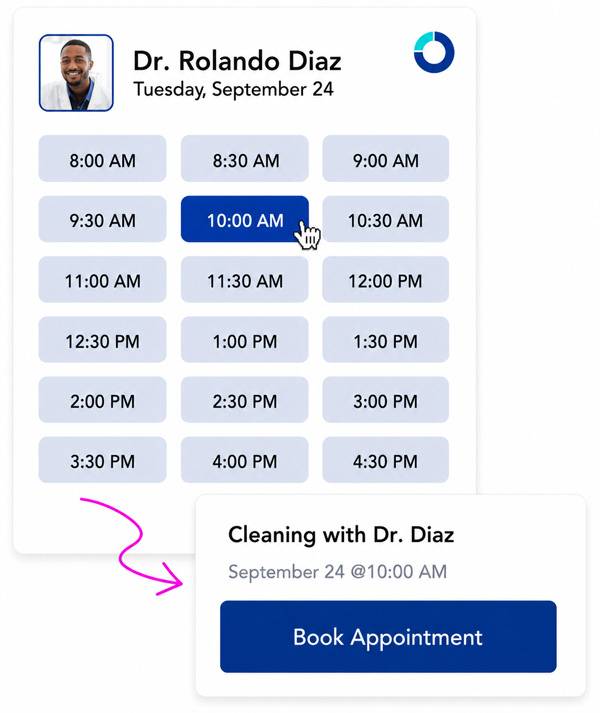
Scheduling is the starting point for every patient interaction, which means it’s one of the dental software features that affects your entire day when it doesn’t work well. The baseline (e.g., online booking, multi-provider calendar views, and color-coded appointments) is expected from any modern system. What sets platforms apart is how smart that scheduling actually is.
When evaluating these scheduling tools, look for:
- Automated reminders and confirmations that go out via both text and email
- Waitlist management that can fill last-minute gaps without staff intervention
- Recall workflows that prompt patients to reschedule without requiring someone to manually track who’s overdue
Risk-centered scheduling (i.e., the ability to prioritize appointment types based on clinical urgency or patient health factors) is a more advanced capability worth asking about directly. If a system automates appointment reminders but still requires staff to manually manage recall lists, it hasn’t actually removed the administrative burden.
2. Billing, Insurance & Revenue Cycle Management
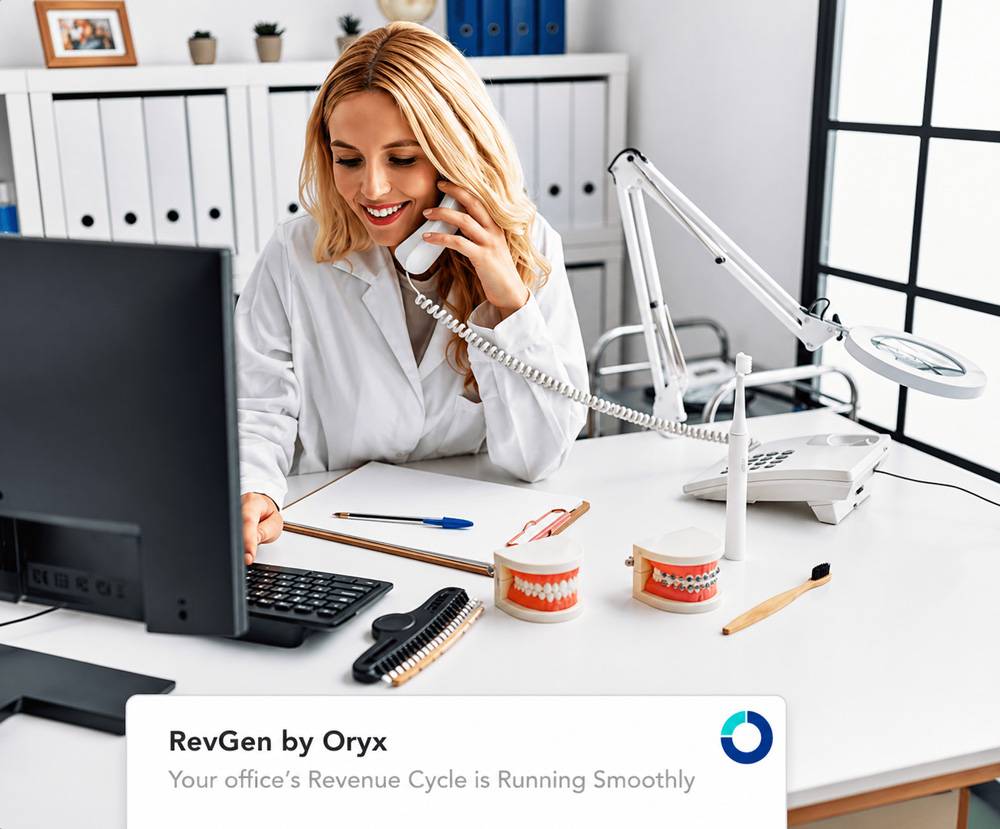
Among the most impactful dental clinic management software features to evaluate, billing and insurance processing consistently ranks as the highest pain point for dental teams. Manual eligibility checks, claim attachments submitted through a separate portal, and ERA posting done by hand each add up to a significant drain on staff time and a reliable source of costly errors.
To avoid these issues, search for software with:
- Real-time eligibility verification that runs automatically at scheduling or check-in
- Electronic claims submission with attachment support
- Automated ERA and EOB posting
- Built-in reporting that gives you visibility into AR aging
- Flexible patient payment options, including text-to-pay and online payment plans
When speaking with vendors, ask specifically whether eligibility verification is automated or whether a team member still needs to trigger it manually for each patient. The answer will tell you a lot about how the system was actually designed to be used.
It’s also worth asking whether the platform offers dedicated RCM support services. Some systems pair their software with a team of billing specialists who manage the revenue cycle on the practice’s behalf, which can meaningfully reduce the administrative burden on in-house staff.
3. Clinical Charting & Treatment Planning
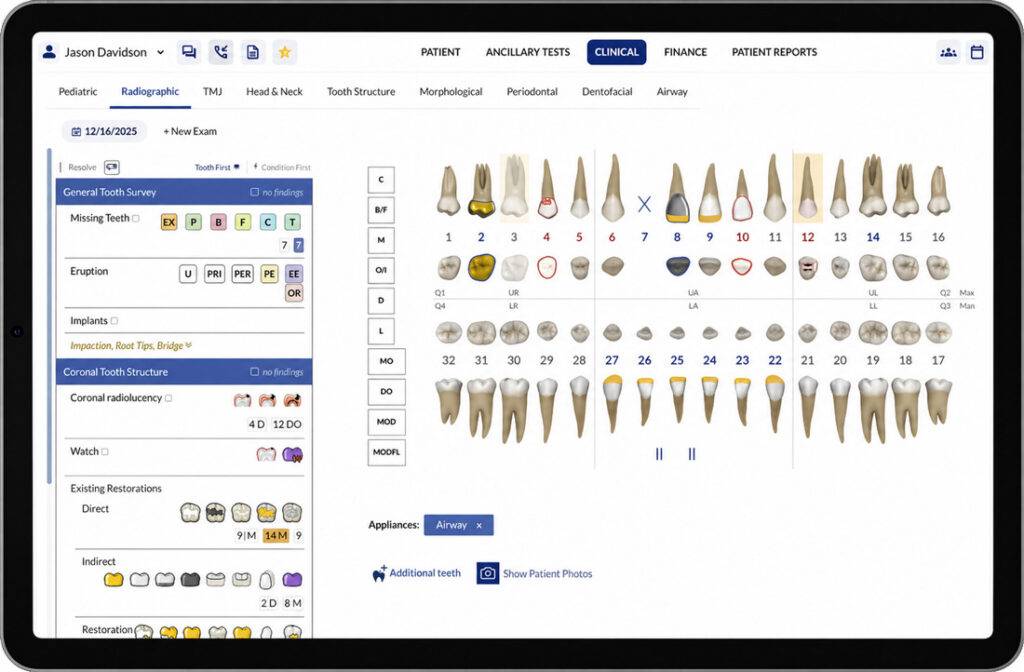
Charting is where clinical quality lives, and the difference between a system that records what you enter and one that actively guides the exam is significant. Strong dental clinic management system features in this category go beyond a digital version of paper charts. Instead, they standardize the exam process, reduce documentation errors, and generate progress notes automatically based on captured findings.
Look for comprehensive charting that covers periodontal, biomechanical, functional, and restorative concerns within a single workflow, rather than requiring separate modules for each. Visual treatment plan presentation, which shows patients their proposed care in a clear and phased format, has a measurable impact on case acceptance and is worth evaluating from the patient’s perspective, not just the provider’s.
Rather than forcing staff to populate blank templates from scratch, choose software with evidence-based exam protocols built into the charting system. These protocols make documentation more consistent across providers and visits. When a vendor demos their charting tool, pay attention to whether the system is guiding the exam or simply waiting for input. The difference in documentation quality shows up over time.
4. AI-Assisted Imaging
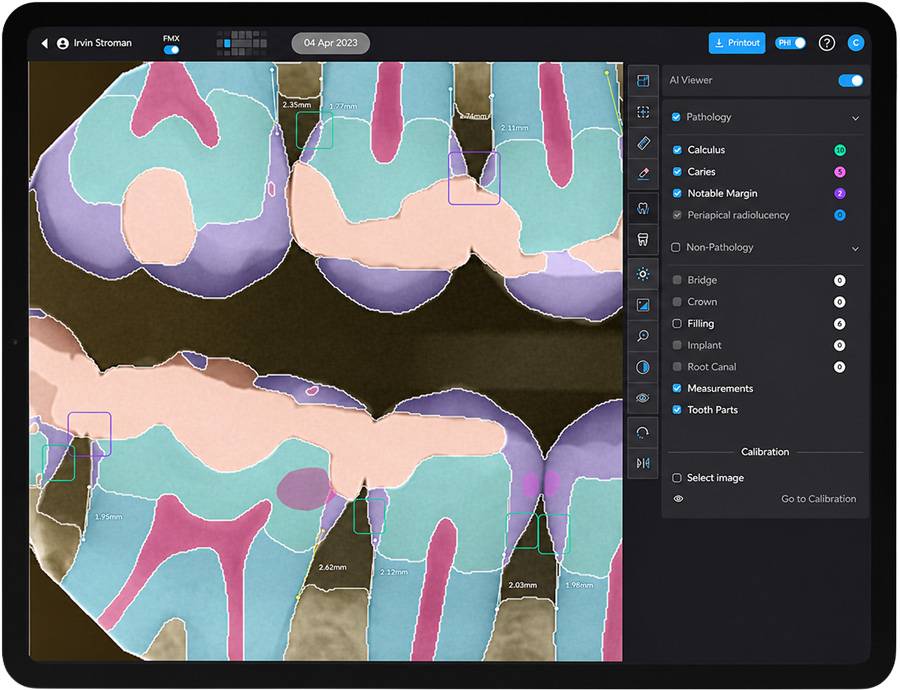
Dental imaging has always been central to diagnosis, but AI-assisted analysis is quickly moving from a differentiator to an expectation.
Where traditional radiograph review depends entirely on the clinician’s eye, AI imaging tools analyze X-rays and flag potential findings (e.g., cavities, bone loss, calculus) with visual annotations that can be reviewed chairside and shared directly with patients. Annotated images give patients a concrete visual reference for treatment recommendations, which supports more informed decisions and stronger case acceptance.
How AI imaging integrates with the rest of your platform matters just as much as what it can detect. A tool that requires a separate login and manual import into the patient chart adds friction that slows clinical workflow and increases the likelihood that findings don’t make it into the treatment plan.
Look for systems that support AI imaging partners like Pearl or Overjet with direct chart integration, so findings flow into documentation without an extra step. Ask vendors specifically whether AI imaging connects to the patient chart natively or whether your team would need to manage that transfer manually.
5. Patient Communication & Engagement
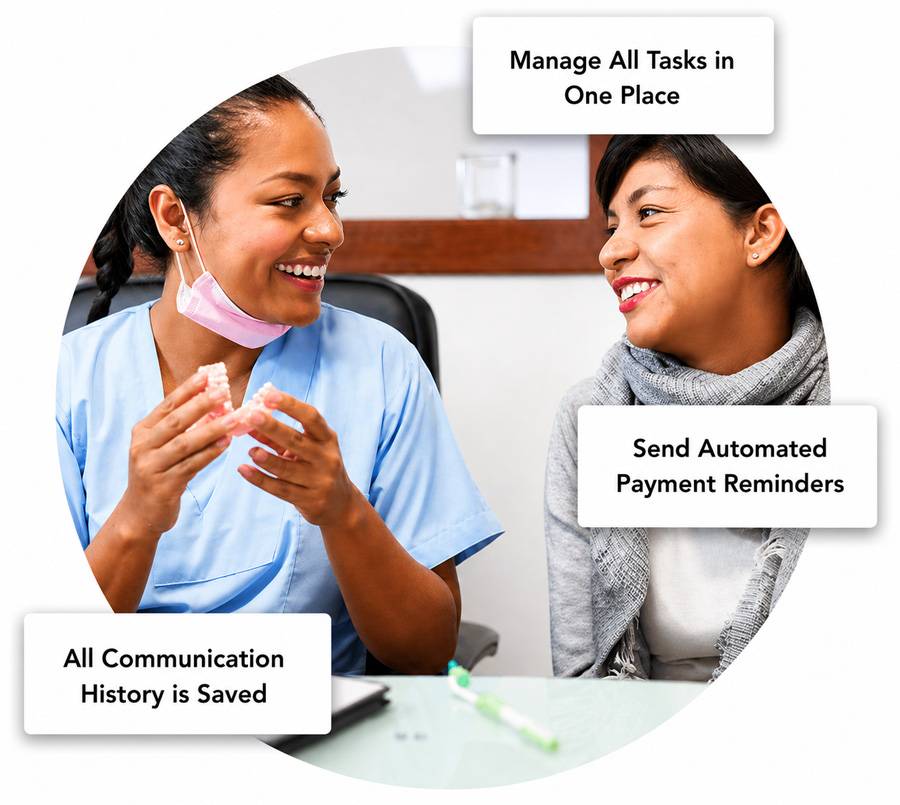
Patient communication tools appear on nearly every list of dental practice management software features, but the variation in how well they actually work is wider than most buyers expect.
Two-way texting, automated reminders, recall messaging, online self-scheduling, and a patient portal for forms and payments are all reasonable baseline expectations. The more important question is whether those tools are built into the platform or sourced from a third-party integration.
When communication tools live in a separate system from your PMS, the practical cost is easy to underestimate. Data entry gets duplicated, confirmations have to be cross-checked, and sync errors between the two platforms become a recurring problem that your staff has to work around.
Native communication tools eliminate that friction entirely. Online intake forms completed before the appointment, secure two-way messaging, and automated recall campaigns that run without staff intervention are all worth confirming as built-in capabilities when you’re comparing options.
6. Reporting & Analytics
Practices that grow intentionally are the ones using their data consistently, and reporting tools are what make that possible. Beyond financial summaries, a well-built analytics module gives you real-time visibility into production, collections, case acceptance rates, new patient volume, and AR aging. These analytics should be surfaced in dashboards that your team can read and act on daily.
Customizable reporting is worth asking about specifically, because fixed report templates may not surface the metrics most relevant to your goals. Having to export data to a spreadsheet before it becomes useful signals a system that was built for record-keeping rather than decision-making.
Goal-tracking capabilities — the ability to set production or collection targets and monitor progress over time — are a meaningful indicator that the platform was designed to support practice growth, not just document what’s already happened.
7. Security & HIPAA Compliance
Security is non-negotiable, but it’s also one of the dental software features buyers most often treat as a given since they assume every platform meets the same standard. Execution varies more than most practices realize, and HIPAA compliance alone doesn’t tell you much about how a system is built to protect patient data day to day.
Two-factor authentication, role-based access controls, audit trails, and automated data backups are all features to confirm explicitly rather than assume. For cloud-based systems, one underappreciated advantage is that security updates are applied automatically, removing the burden of patching software or managing server vulnerabilities in-house.
Before committing to any platform, ask what happens to your patient data if you decide to leave and whether records can be exported without a fee. How a vendor answers that question is a meaningful signal about how the platform treats long-term data ownership.
Choose Oryx for Dental Practice Management Software
All of the dental practice management software features covered above are available within Oryx’s all-in-one platform. Oryx offers automated scheduling, built-in patient communication, AI-assisted imaging, evidence-based clinical charting, and real-time analytics that keep practice goals in view.
Beyond the core feature set, Oryx also includes e-prescriptions, a dedicated revenue cycle management service, and multi-location support for growing and expanding practices. With transparent pricing and no hidden fees, practices save an average of 70% on software costs compared to other dental software.
Learn more about our all-in-one dental software today. If you’d like to see how Oryx can save you time, please schedule a demo.