


Pediatric dentists have a lot on their plate. Between trying to manage anxious kids and their stressed-out parents while providing top-notch care, there’s no room for anything else that creates even the slightest hassle.
Enter dental charting software. If this string of words elicits a groan, you’re not alone. Many dentists find the software they use to be quite cumbersome, with redundant workflows and insufficient customization. For a pediatric dental office, it’s just one more source of frustration.
Thankfully, there’s a better way. Child-specific dental software has come into its own, offering dentists pediatric-specific capabilities, easy-to-use interfaces, and tools that streamline patient care and office management.
In this article, we’ll walk through a practical checklist for choosing pediatric charting tools, then break down the features worth prioritizing.
How to Choose Pediatric Dental Charting Tools
Before you book vendor demos, start by defining what your pediatric team needs most, then narrow your options to a short list. Once you’re down to a few finalists, demos become the fastest way to confirm charting speed, dentition workflows, guardian communication, and overall chairside usability.
Start with three quick steps:
-
Map your must-haves: Choose two or three high-frequency visit types, such as a new patient exam, a recall, and an emergency visit, then list what the chart must handle in each one.
-
Build a shortlist: Narrow options based on pediatric fit, integrations you rely on, and the workflows your team wants to improve first.
-
Set demo goals: Decide what “success” looks like, such as fewer clicks, faster charting, clearer mixed dentition views, and simpler guardian communication.
A Practical Demo Checklist
Before you compare feature lists, start by pressure-testing how the software performs during the exact moments your team feels most rushed. A strong demo should look and feel like a real clinic day, not a guided tour of best-case scenarios.
Use this checklist to keep vendor demos focused and to make it easier to compare options side by side:
-
Bring real visit types to the demo. Pick two or three high-frequency scenarios, such as a new patient exam, a recall, and an emergency visit, and ask the vendor to walk through those workflows at full speed.
-
Verify primary and mixed dentition workflows. Make sure the chart supports primary teeth, mixed dentition, and quick switching between views, since pediatric charting often involves transitions and exceptions.
-
Time the “click cost” for common charting tasks. Ask how many steps it takes to enter findings, update tooth status, add treatment, and mark items as completed. Next, repeat the sequence as if a child is squirming in the chair.
-
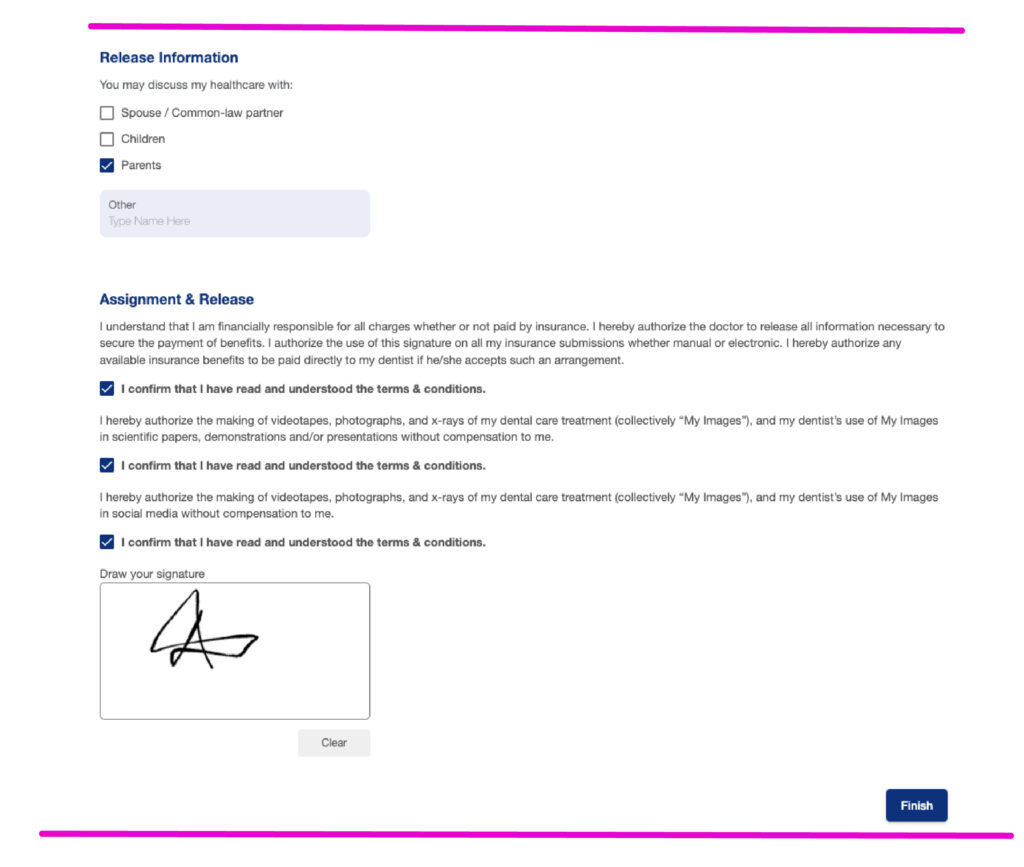
Test parent and guardian workflows. Confirm how guardianship is handled, how consent is captured, and how communications are routed to the authorized contact so your team doesn’t rely on workarounds.
-
Stress-test imaging and attachments. Have the vendor show exactly how X-rays, photos, and documents are imported, labeled, accessed, and shared, since file friction shows up fast in pediatric workflows.
-
Confirm accountability and documentation clarity. Look for clear charting attribution, consistent notes, and an audit trail so you can confidently answer questions later without digging through messy records.
-
Include the whole team. Bring a clinical assistant, a front office team member, and someone from billing so you can spot handoff issues that a dentist-only demo can miss.
Kids are fussy. Pediatric dental charting software shouldn’t be.
Pediatric dentists are masters at calming the anxieties of children who detest the dental office and everything it symbolizes. From offering cookie dough-flavored dental polish to free goody bags at the end of the appointment, they’ll pull out every trick in the behavior management book.
Keeping things moving quickly is possibly the most powerful strategy of all. This is NOT the time for your pediatric dental charting software to throw a tantrum!
Some of clinicians’ most common complaints about their dental practice management software include the following:
- Limited customization: Dentists want to be able to easily schedule and adjust visuals to suit their needs, and they often can’t.
- Latency issues: Some cloud-based platforms have a tendency to slow down or even crash during busy workflows, hampering the patient experience.
- Redundant data entry processes: Manual data entry steps for insurance and billing processes can get out of hand.
- File management issues: Pediatric dentists often encounter difficulties in importing or managing X-ray and imaging files.
- Unbalanced priorities: Some software options overemphasize front-office functionality at the expense of clinical usability.
How Upgrading Your Clinical Charting Software Can Help
Dental practice management software needs to evolve with the times, especially if your practice includes multiple locations. Modern systems offer intuitive interfaces, better integration with other practice management tools, and enhanced data security, ensuring compliance with regulatory standards.
With improved functionality, you can save time, reduce errors, and focus more on providing high-quality care. The best charting tools for pediatric dentists have the following benefits:
1. More accurate diagnoses and better treatment planning: Assessment, diagnosis, and treatment planning can be especially difficult in the case of young children who are getting cavities in their primary teeth. Primary dentition charting and mixed dentition tools can help dentists deal with these complexities.
2. Improved ease of use and simplified training: Got a squirmy kid? The easier your pediatric dental charting software is to use, the more you can focus on behavior management. On a related note, if you’re trying to simultaneously train a new assistant and coax a child to cooperate, then an easy-to-learn system makes a huge difference.
3. Better treatment communication: Dentists want to help parents better understand what’s going on with their kids’ oral health. Customizable odontograms can help you provide a reference that parents can follow along with, helping them become more confident in your treatment plan and increasing your case acceptance rate.
4. Improved staff accountability: The right pediatric dental charting software will keep a clear record of who did what charting, so you’ll always be able to look back and ask the right person if you have any questions.
Must-Have Pediatric Charting Features
The best charting tools for pediatric dentists support customizable treatment planning that matches how kids grow and how pediatric cases actually unfold. When you’re comparing options, look for charting capabilities like these:
-
Tools for tracking primary teeth: Pediatric charting should feel native for primary dentition, not like an adult chart with extra steps.
-
Mixed dentition support: The platform should handle mixed dentition cleanly, with quick switching and clear visualization so your team doesn’t waste time confirming what they’re looking at.
-
Age-based defaults and setup options: Some systems can reduce manual setup by using age-based chart logic, which helps keep charting consistent from patient to patient.
-
Customizable odontograms and clinical visuals: Your chart should be easy to adjust for how your practice documents care, explains treatment, and reviews progress with families.
-
Fast, chairside-friendly charting flow: A clean interface matters, but speed matters more. Look for workflows that reduce clicks and keep the clinician in the chart instead of bouncing across screens.
-
Clear charting attribution and history: The platform should make it easy to see who entered what, when changes were made, and what was updated across visits.
-
Flexible notes and documentation structure: Pediatric care often requires quick context, such as behavior notes, parent concerns, and clinical observations, so notes should be easy to add and easy to find later.
What to Look For in the Full Dental Software Solution (Beyond the Chart)
Great pediatric charting is essential, but the chart can’t carry the whole practice. The right dental software solution also supports the operational realities of pediatric dentistry, where communication and logistics often revolve around families.
Prioritize capabilities such as:
-
Guardianship setup and parent communication tools: The platform should support authorized contacts, guardian-specific workflows, and clear communication pathways that reduce front-desk back-and-forth.
-
Age-specific recalls: Pediatric recall logic should match common pediatric intervals and patient needs, without forcing the team into manual reminders or awkward scheduling workarounds.
-
Family and household management: Linked family records, household scheduling, and consolidated visibility help your team coordinate care without duplicating effort.
-
Simplified pediatric dental billing: Pediatric billing workflows can involve a mix of insurance scenarios and family-level financial coordination, so clarity and efficiency here can save your team substantial time.
-
Reliability and support you can trust: A strong interface doesn’t help if the platform slows down during peak hours. Uptime, responsive support, and a stable product roadmap matter for long-term adoption.
Remember that communication is key. You’re not just sharing information with the patient, you’re also informing parents in ways that support trust and long-term follow-through. Features like progress tracking, growth-oriented reporting, and easy-to-read summaries can strengthen communication with both families and your team.
Emerging Trends in Pediatric Dental Charting Software
Managing multi-location practices is getting more complicated by the year, so a lot of the latest developments in dental practice management software involve cloud-based solutions and integrated platforms that cater to such practices. Cloud-based dental software lets dentists access important patient information when they’re on the go, minimizes the risk of data loss due to hardware failure, and provides a scalable solution for a growing practice.
As opposed to server-based dental solutions, cloud-based systems offer automatic updates, ensuring that practices always have the latest features and security enhancements without the hassle of manual installations. Automation in dental practices makes it easier for clinicians to focus on comprehensive patient management and better guardian and family account management.
How Oryx Can Help
As a platform built with the pediatric dentist in mind, Oryx’s dental charting tools improve efficiency, enhance patient experiences, and support the unique challenges of providing child-friendly care. With Oryx you get:
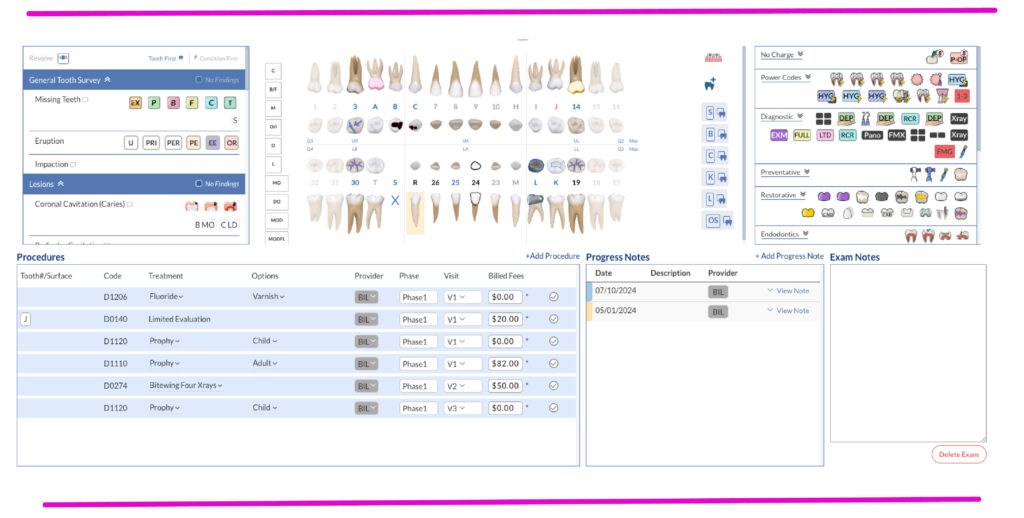
- Pediatric-Specific Exams
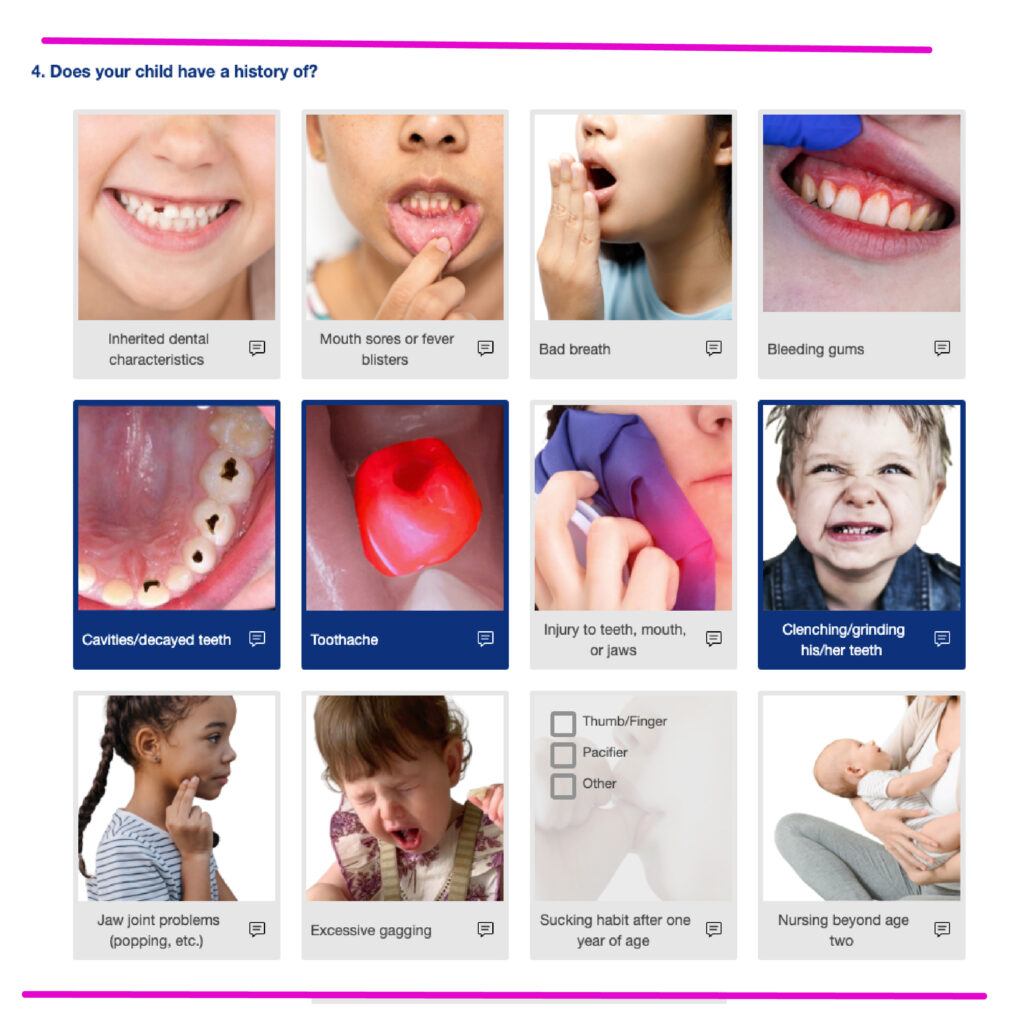
- Visualized Pediatric Patient Forms
- Remote Consent Signing
- Customized Pediatric Reports
- Built-in Evidence-Based Protocols
- Online Appointment Scheduling
- And much more!
Oryx’s charting system is intuitive and easy to train on, with visualized pediatric patient forms, seamless documentation, and centralized parental communication via a portal. You’ll still be dealing with hyperactive children, but at least there won’t be any bad behavior on the software side of things.
Ready to see just how easy it is to use Oryx? Schedule a custom demo to experience the seamlessness firsthand!